
01 / Project overview
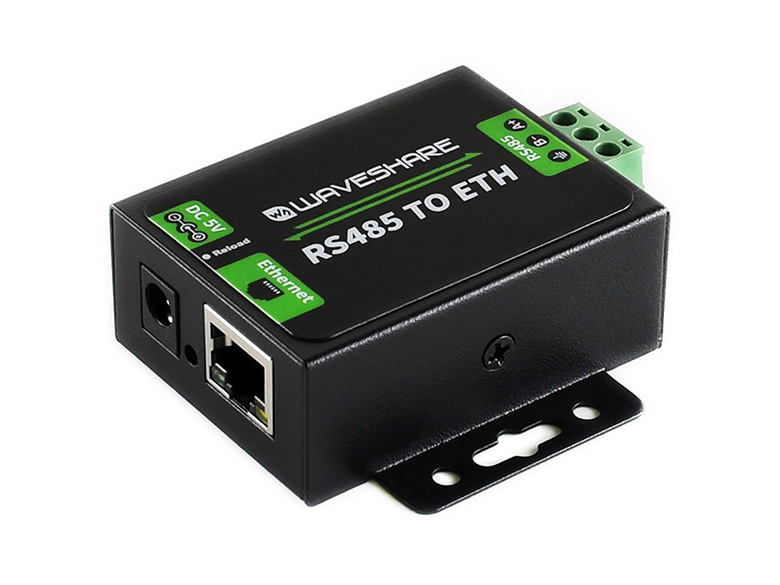
This build is a bench exercise using the original Waveshare RS485 TO ETH. It transports serial data over a network. The original model does not implement Modbus TCP conversion; B and C variants have different capabilities. Verify the exact product label before deciding what your application can send.
02 / Materials & software
| Item | What to check |
|---|---|
| RS485 TO ETH | Use the original model covered by the source. |
| Documented RS485 endpoint | A spare test device or adapter with known serial settings. |
| Ethernet network | An isolated bench network is convenient. |
| Appropriate power and cable | Follow both devices’ electrical specifications. |
03 / Connections & first setup
With power off, identify the differential pair and any reference connection required by the manuals. RS485 A/B naming can differ between manufacturers, so compare the actual pin descriptions. Plan termination for the ends of the cable and avoid adding it at every node.
04 / Build the project
- Prove the serial side
First communicate with the endpoint using a direct serial adapter. Record baud rate, parity, data bits, stop bits, and a known request/response pair. Keep the original bytes for comparison.
- Configure the bridge
Use the manufacturer’s setup method to select a network mode and matching serial settings. Assign an address appropriate to the bench network. Save a screenshot of the settings without any credentials.
- Send a known message
Send the same serial payload through the bridge and capture the response. Compare bytes, not just a successful TCP connection. A network socket opening only proves that the network endpoint is reachable.
- Handle packet boundaries
Make the application assemble complete protocol messages rather than assuming one socket read equals one serial frame. Add a timeout for incomplete replies and log the raw exchange during development.
- Document recovery
Disconnect the network, reconnect, and verify a new session can work. Record how the bridge is reset or reconfigured. Move to a production bus only after confirming the actual protocol and electrical requirements.
Bench record
Serial: baud / parity / data bits / stop bits
Network: mode / local address / port
Request: hexadecimal byte sequence
Response: hexadecimal byte sequence
Timeout: application-defined
05 / Check the result
| Check | Expected behavior |
|---|---|
| Known request | Received bytes match the direct serial baseline. |
| Wrong serial setting | Failure is detected and logged. |
| Connection loss | The client can open a fresh session. |
Troubleshooting. A live TCP connection with no useful data usually needs serial-side investigation. Check bus polarity, settings, and endpoint address. If your software expects Modbus TCP, choose a documented converter or implement the required application layer deliberately.
06 / Sources & build notes
Prepared by PineMux from the official sources above. These are editorial build instructions; this project has not been bench-tested by PineMux. The cover shows reference hardware or a source project; image credit is provided above. Use the manufacturer’s revision-specific diagrams for exact wiring.