
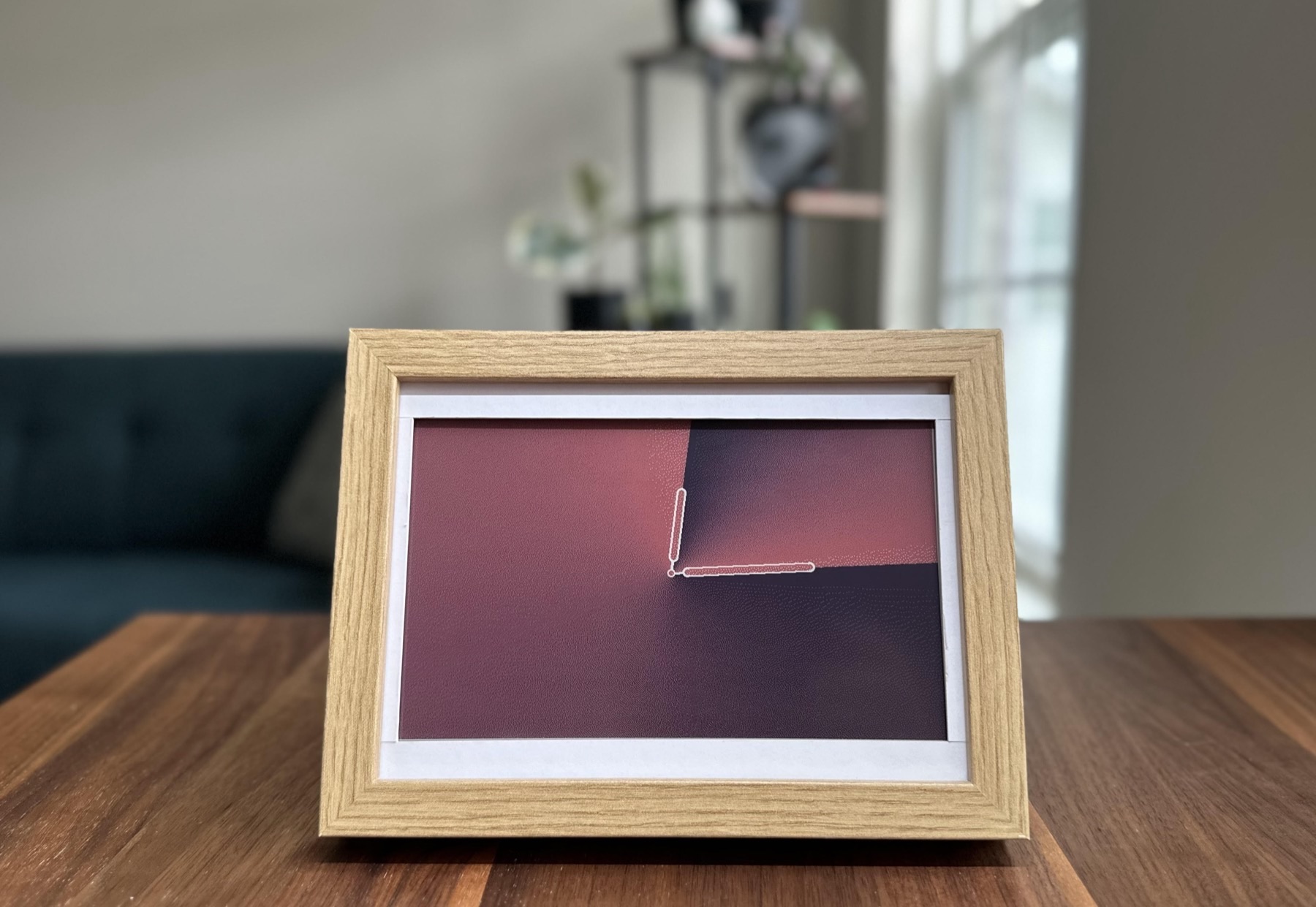
01 / Project overview
InkyPi turns a Raspberry Pi and an e-paper panel into a configurable information display. Its browser interface manages content and scheduled playlists, with plugins for clocks, weather, calendars and images. Waveshare support is explicitly documented, making it a practical starting point for a display whose content can change without rewriting the layout code.
02 / Materials & software
- Raspberry Pi 3, 4 or Zero 2 W
- supported Waveshare SPI e-paper display
- microSD card
- power supply
03 / Compatibility & setup notes
InkyPi does not support IT8951 displays, and its maintainers do not recommend screens smaller than 4 inches. Match the driver name to the physical panel.
04 / Build the project
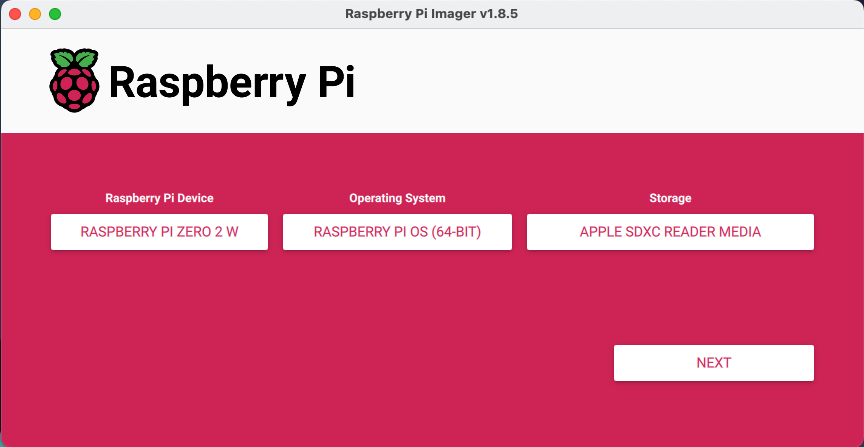
- Install the Raspberry Pi OS version recommended by the project on a dedicated card.
- Choose the exact Waveshare EPD driver during installation rather than relying on automatic screen detection.
- Open the local interface, begin with one plugin and add a playlist after the first successful refresh.
FROM THE ORIGINAL PROJECT
The project’s installation guide begins by selecting the Raspberry Pi model, operating system and target storage.
fatihak/InkyPi · View original image
05 / Check the result
Check that a manual update and a scheduled update both reach the panel. Preview small text at the final resolution and verify the device recovers after a normal reboot.
PineMux build note: Keep a record of the board revision, firmware version and first successful test. Follow the upstream guide for exact pins and commands.

FROM THE ORIGINAL PROJECT
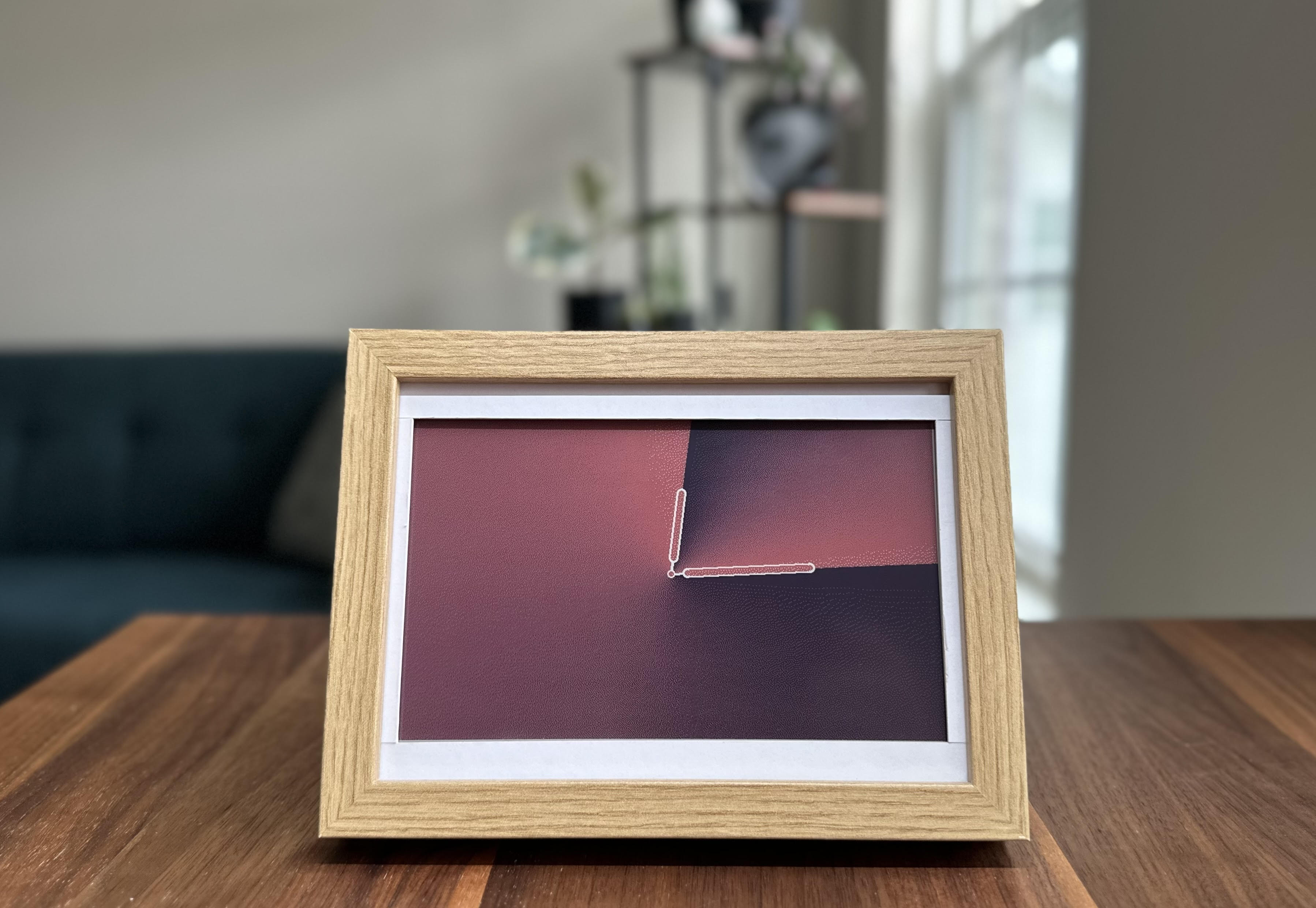
An original InkyPi word-clock face illustrates how one display can host different visual plugins.
fatihak/InkyPi · View original image
06 / Sources & build notes
- fatihak/InkyPi — original project, documentation and code
- Waveshare hardware reference linked by the project
Upstream attention: 4,238 GitHub stars, checked 30 September 2026. Stars indicate community interest, not a reliability guarantee.
Original project by fatihak. This PineMux editorial overview is based on the linked primary source; PineMux has not bench-tested this build.