
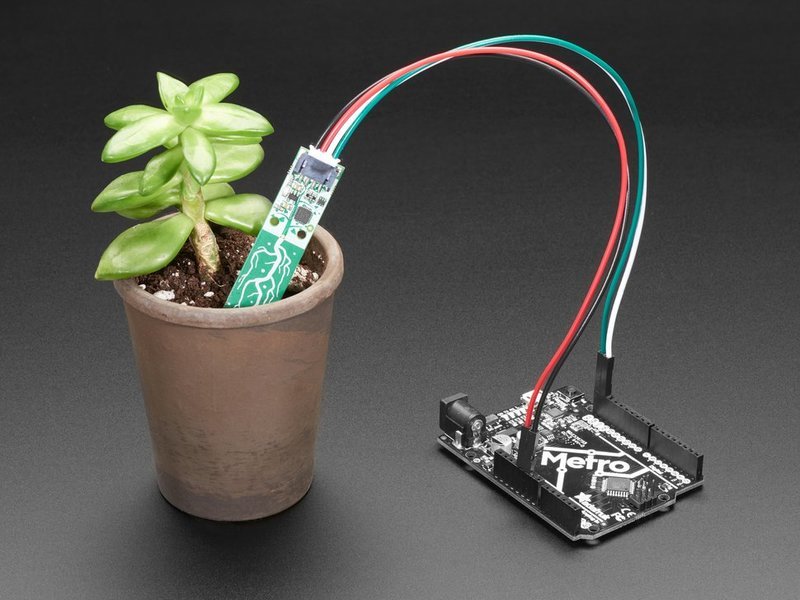
01 / Project overview
This project measures a sensor response in one pot and uses that response to suggest when to inspect the soil. The Adafruit STEMMA soil sensor communicates over I2C through its seesaw controller. Its raw capacitance value is not a universal soil-moisture percentage; calibration depends on the potting mix and installation.
02 / Materials & software
| Item | What to check |
|---|---|
| STEMMA soil sensor | Use the documented capacitive I2C model. |
| CircuitPython board | A board supported by the linked seesaw example. |
| Four-wire cable | Match power, ground, SCL and SDA labels. |
| Plant pot | Use the same pot and soil for calibration and operation. |
03 / Connections & first setup
Power off before connecting the four signals. Follow the voltage and pin names in the board and sensor guides rather than assuming physical pin numbers. Keep the connector and electronics above wet soil; insert only the sensing portion as directed by the manufacturer.
04 / Build the project
- Read the raw value
Run the official seesaw example first and log the raw result. Move the probe only after stopping the program. Confirm that removing and reinserting it at a similar depth gives reasonably repeatable results.
- Record two references
Measure your pot when it is at the dry point where you would normally water it. Measure again after normal watering and drainage. Record depth, soil type, and both readings; do not use another person’s threshold blindly.
- Smooth the display
Collect several readings and show a median to reduce single-sample noise. Keep the raw samples in a debug view. Add hysteresis so a value near the threshold does not make the reminder flicker on and off.
- Use a reminder first
Show CHECK SOIL when the dry threshold persists. Keep watering manual while you compare the reminder with the real pot over several cycles. A sensor trend is useful even when an exact percentage is unavailable.
- Review the mounting
Secure the cable so moving the pot does not change probe depth. Recheck the reference readings after repotting or changing fertilizer and soil. Save thresholds next to the sensor identifier.
Threshold logic — pseudocode
samples = collect_recent_raw_readings()
value = median(samples)
if below_dry_threshold_for_several_samples(value):
    show("CHECK SOIL")
else:
    show("MONITORING")
05 / Check the result
| Check | Expected behavior |
|---|---|
| Dry reference | The reminder appears consistently at the chosen condition. |
| After watering | The reading changes and eventually clears the reminder. |
| Probe disconnected | The interface shows a sensor error, not a dry pot. |
Troubleshooting. A flat trace can indicate a connection problem, poor insertion, or an unsuitable threshold. Inspect raw values before adding more smoothing. Avoid turning this first prototype into unattended irrigation: first establish that readings are repeatable for the actual plant.
06 / Sources & build notes
Prepared by PineMux from the official sources above. These are editorial build instructions; this project has not been bench-tested by PineMux. The cover shows reference hardware or a source project; image credit is provided above. Use the manufacturer’s revision-specific diagrams for exact wiring.